Adding music and sound to picture
Learn here how to place audio under picture in Freque.
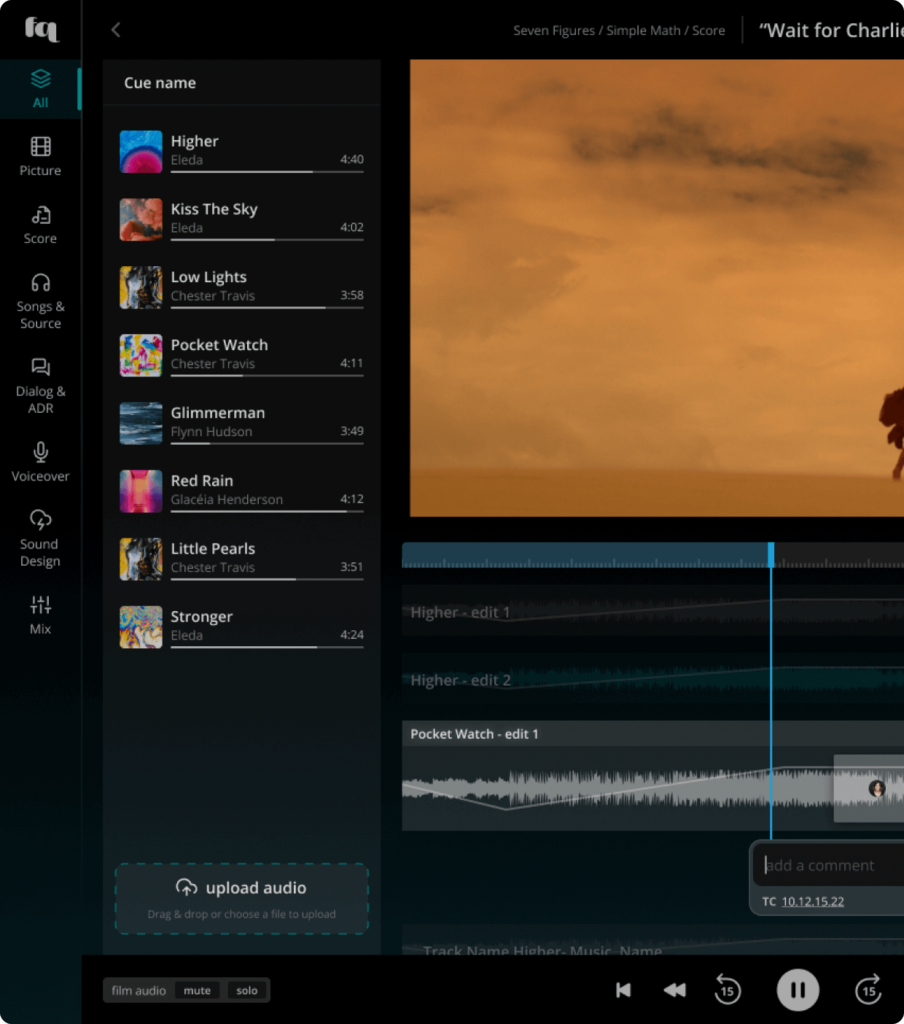
- With assets in the left pane, you can easily add them to the Sync Area underneath the picture. Either drag an asset there, or click the little arrow button.
- The asset it now in Edit Mode and its position as well as in- and out-points can be adjusted, including volume automation (in case of audio). There are two buttons in the top right of that piece you have added to the sync area “Discard” and “Save”. The former removes the audio asset from the Sync Area, the latter saves your work so others can hear it.
For more information on editing, please see our dedicated article. There we describe how to slip, slide, spot, automate volume and delete files from the sync area.